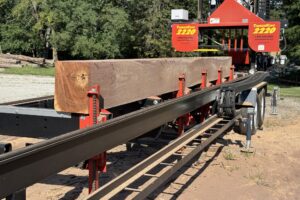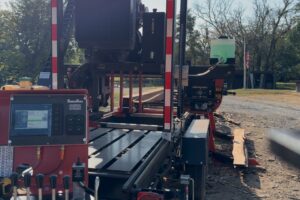
Today I was milling lumber and dragging back to the rear of my TimberKing to offload and stack.


This drag back system works best when you have the luxury of having help to offload the lumber and stack on a trailer or wagon.
Pictured in this post, is walnut lumber I’m dragging back to the rear of my sawmill to offload and stack. I can drag back 1 board at a time, or I can drag back as many as I choose to. This drag back system isn’t available on all TimberKing machines. However, it is available on the 2020, 2220 and the 2520 mills.
Pictured is my TimberKing 2220 that comes standard with the drag back system. Some use it, and most never do use it. These machines mentioned above that come standard with this feature have 3 drag back bars, and as you can see, I’ve added the 4th bar, which helps so much keep all widths straight as you drag them back. I’ve also spaced my bars from left to right at 3” in between each bar, and from the left structure as well. This works perfect!
The wood/log I’m working with here, is a well seasoned walnut log. This log was in a storm/tornado, so it was really stressed and has splits in one end and about 1/2 way through, so I’m having to work the log to get the most usable lumber from it as possible.
Milling Lumber and Dragging Back
If you have a mill with drag back, and haven’t used it, I would encourage you to use it, and let me know what you think. Pull the pin in your work station so that you can move it to the right, when dragging lumber back.
Always do your best,
-Mike Pilcher